


Account & Support
Account & Support
Everything you need to manage your KIM’S GOLD DUST account in one place.
Creating Your Account
Signing up for a KIM’S GOLD DUST account is free and takes less than a minute. Your account gives you access to order history, saved addresses, wishlist management, and early access to new releases as a KGD Insider.
To sign up, look for the Login / Register link at the top right corner of any page on kimsgolddust.com. Click Register, enter your name and email address, create a password, and you are in.
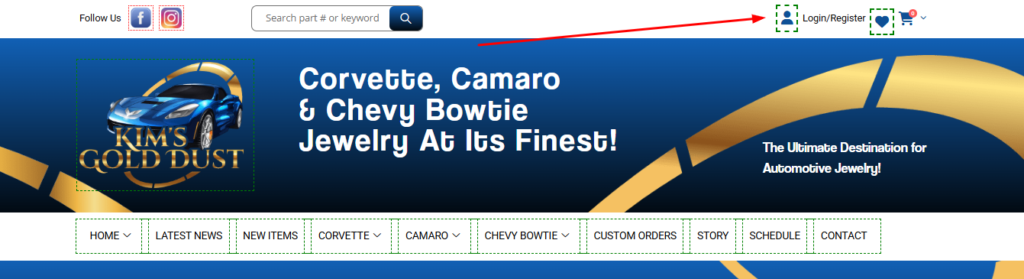
Once registered, you will receive a confirmation email. Click the link inside to verify your account and gain full access to your dashboard.
Your Account Dashboard
Your dashboard is your personal control center. After logging in, everything you need is organized and accessible from one screen.
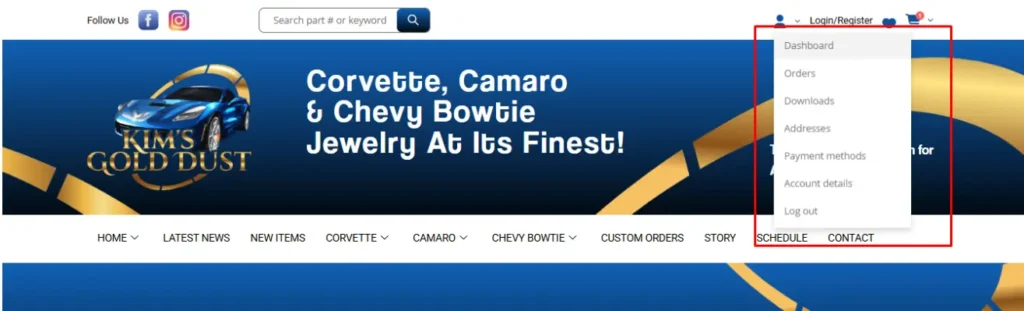
From your dashboard you can do all of the following without contacting support:
- View your order history — See every purchase you have made, when it was placed, and its current status.
- Track active orders — Follow your shipment from dispatch through to delivery using the tracking number provided in your order details.
- Update your addresses — Store and edit separate shipping and billing addresses at any time.
- Change your password or email — Update your login credentials whenever needed.
- Manage your Wishlist — Save pieces you love and come back to them when you are ready.
Tracking Your Orders
Once your order has been placed and dispatched, you can track its status directly from your dashboard. Go to My Account → Orders to see your full purchase history. Each order displays its current status — Processing, Shipped, or Completed — along with the order date, total, and a link to view full details.
If your order includes a tracking number, it will appear within the order details once your item has shipped. Click the tracking number to follow your package directly with the carrier.
If you have a question about an order that is not yet showing a tracking update, contact KIM’S GOLD DUST directly at kim@kimsgolddust.com or call 724-945-5184 (ET) and we will look into it for you.
Updating Your Shipping & Billing Details
To update your addresses, go to My Account → Addresses. You can store a separate shipping address and billing address, and update either one at any time before your next order is placed.
If you need to change the delivery address on an order that has already been confirmed, contact us as soon as possible at kim@kimsgolddust.com. Once an order has shipped, address changes may not be possible.
Managing Your Password
To update your password, go to My Account → Account Details. Enter your current password, then type and confirm your new one. Click Save Changes when done.
If you have forgotten your password and cannot log in, click Lost your password? on the login page. Enter the email address associated with your account and a password reset link will be sent to your inbox. If it does not arrive within a few minutes, check your spam or junk folder.
Your Wishlist
The Wishlist feature lets you save pieces you love and return to them whenever you are ready. It is also a practical tool to share with family or friends ahead of a birthday, anniversary, or holiday gift occasion.
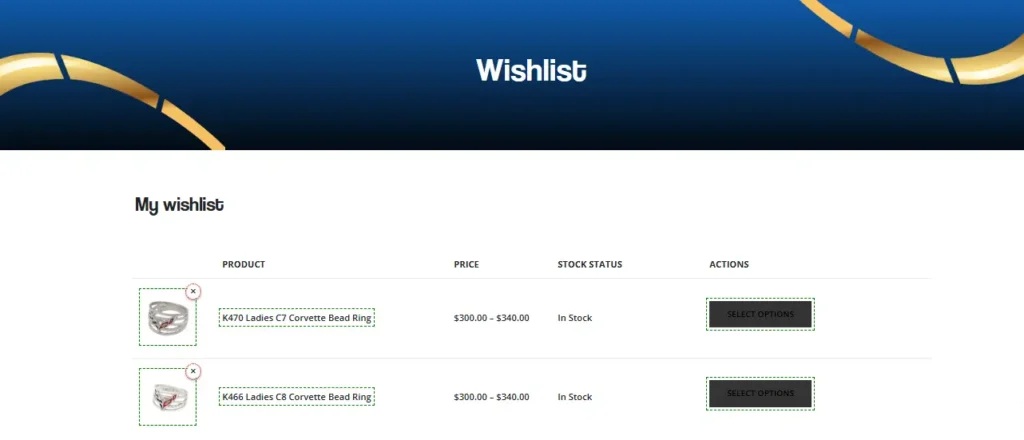
To add an item, click Add to Wishlist on any product page. To view your saved items, go to My Account → Wishlist or use the Wishlist link in the site navigation. Items stay saved until you choose to remove them.
Your Privacy
Your personal information belongs to you. KIM’S GOLD DUST does not sell your data to any third party under any circumstances. Your name, email address, shipping details, and order history are used solely to process and fulfill your orders and to communicate with you directly.
Information is only shared with law enforcement or other authorities where required by law or where necessary to protect the rights and safety of our customers. For full details, visit our Privacy Policy.
Become a KGD Insider
KGD Insider members are the first to see new jewelry releases, receive exclusive promotions, and get early access to limited pieces before they are available to the general public.
To join, scroll to the newsletter sign-up on any page and enter your name and email address. Let us know whether your passion is Corvette, Camaro, or Chevy Bowtie so we send you only the updates that are relevant to you.
Still Need Help?
If you cannot find the answer here, KIM’S GOLD DUST is happy to assist directly.
Email: kim@kimsgolddust.com
Phone: 724-945-5184 (Eastern Time)